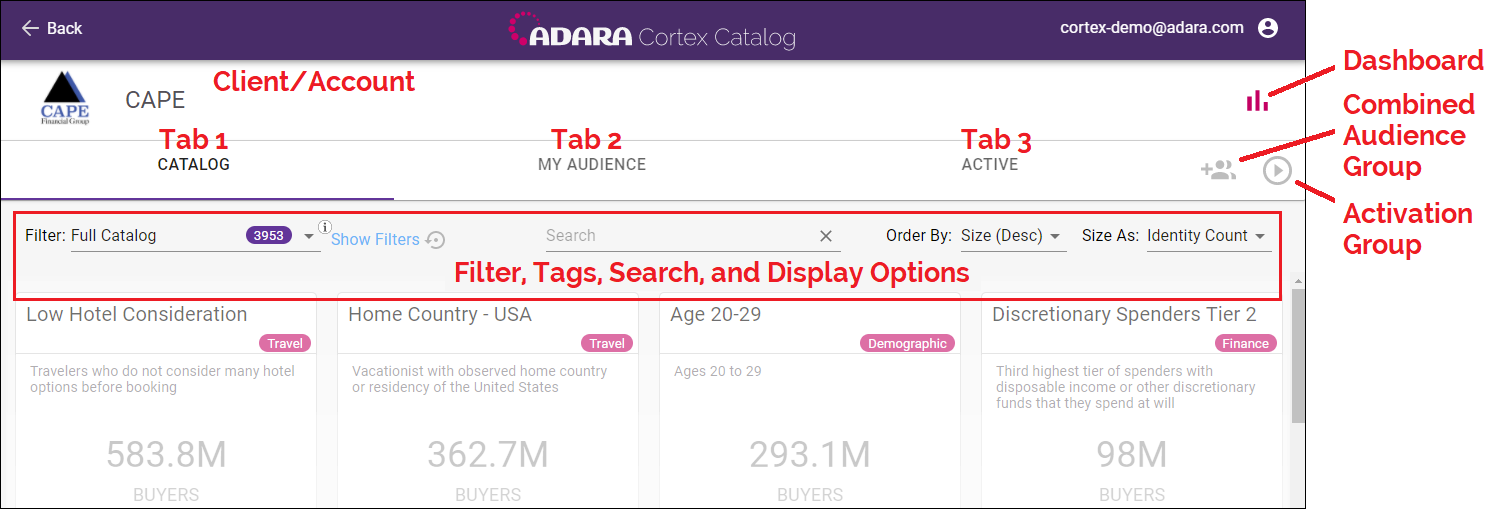
The Audience Card View screen has the following major sections:
Use the Catalog, My Audience, and Active tabs at the top of the screen to switch between three perspectives for a client's audiences. Each tab shows audiences with infinite scroll capability; each time you scroll down at the bottom of the existing view, Cortex displays 40 new cards until no more are available.
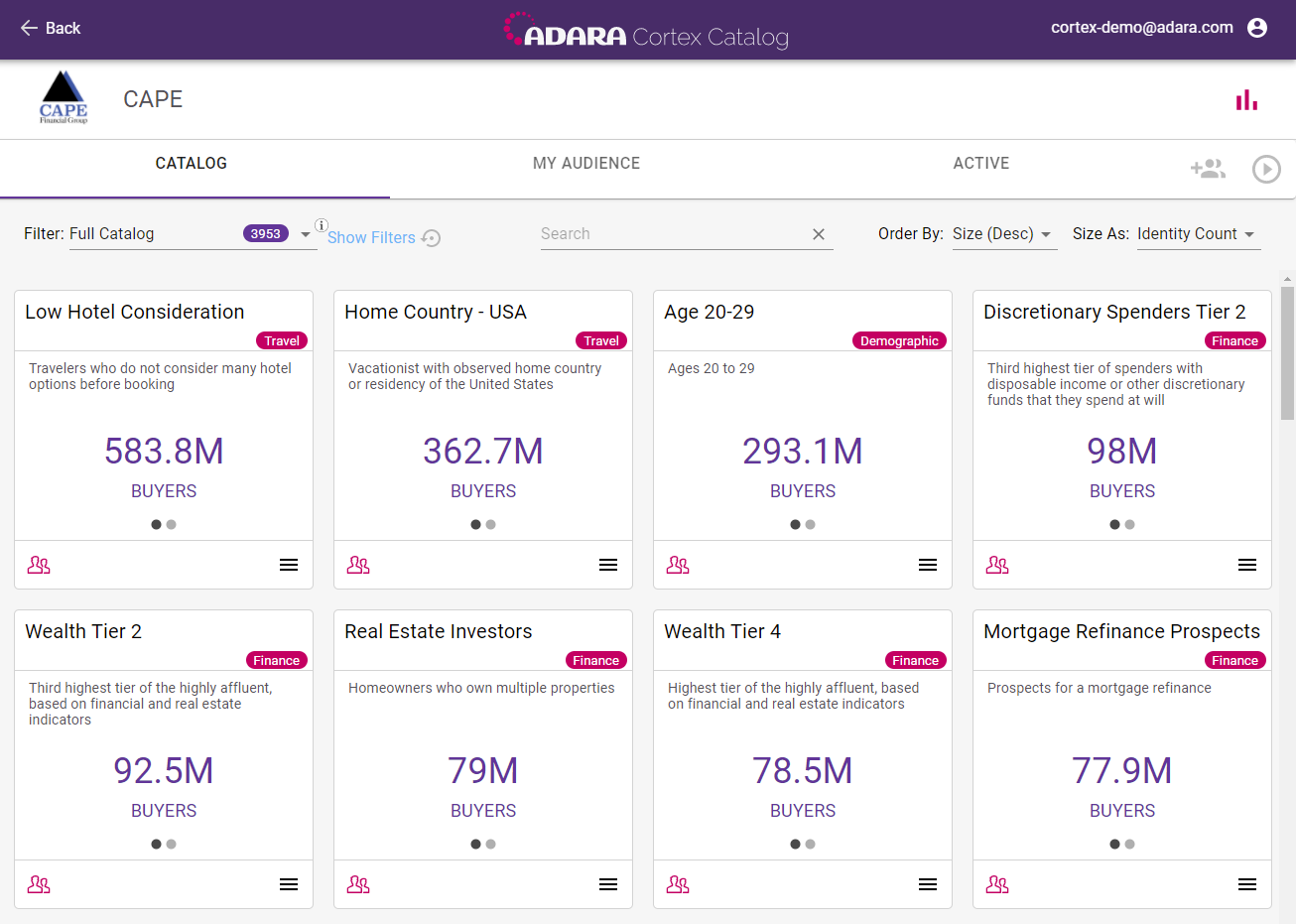
The Catalog tab displays the full rights-managed catalog of audiences that can be selected for the advertiser/client currently being managed. Cortex shows each available audience as single audience card. For more information on the cards themselves, see 5.1. Catalog Tab.
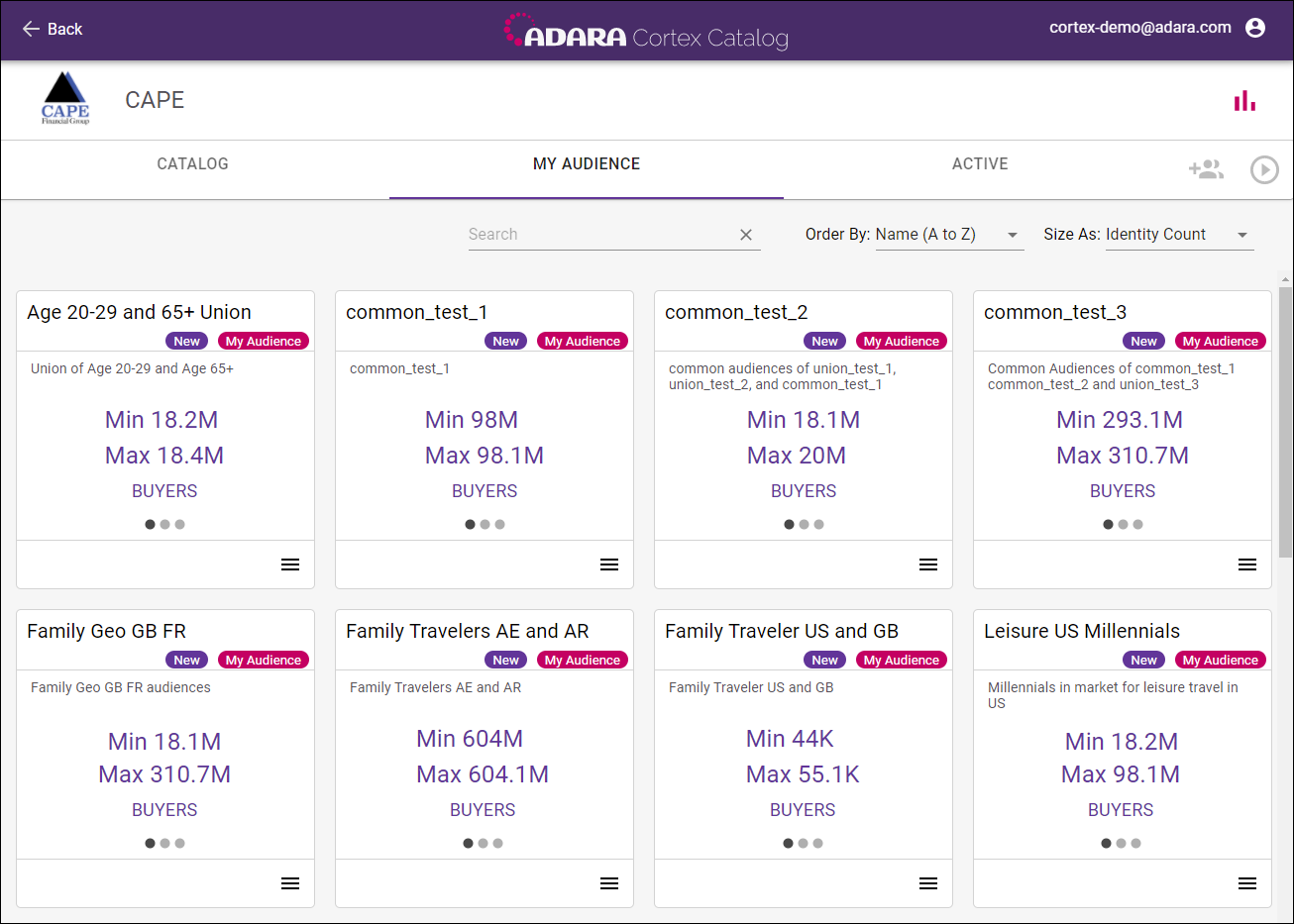
The My Audience tab displays the audiences that have been previously combined with 8. Combine Audiences. Cortex shows each active audience as a single audience card. For more information on the cards themselves, see 5.2. My Audience Tab.
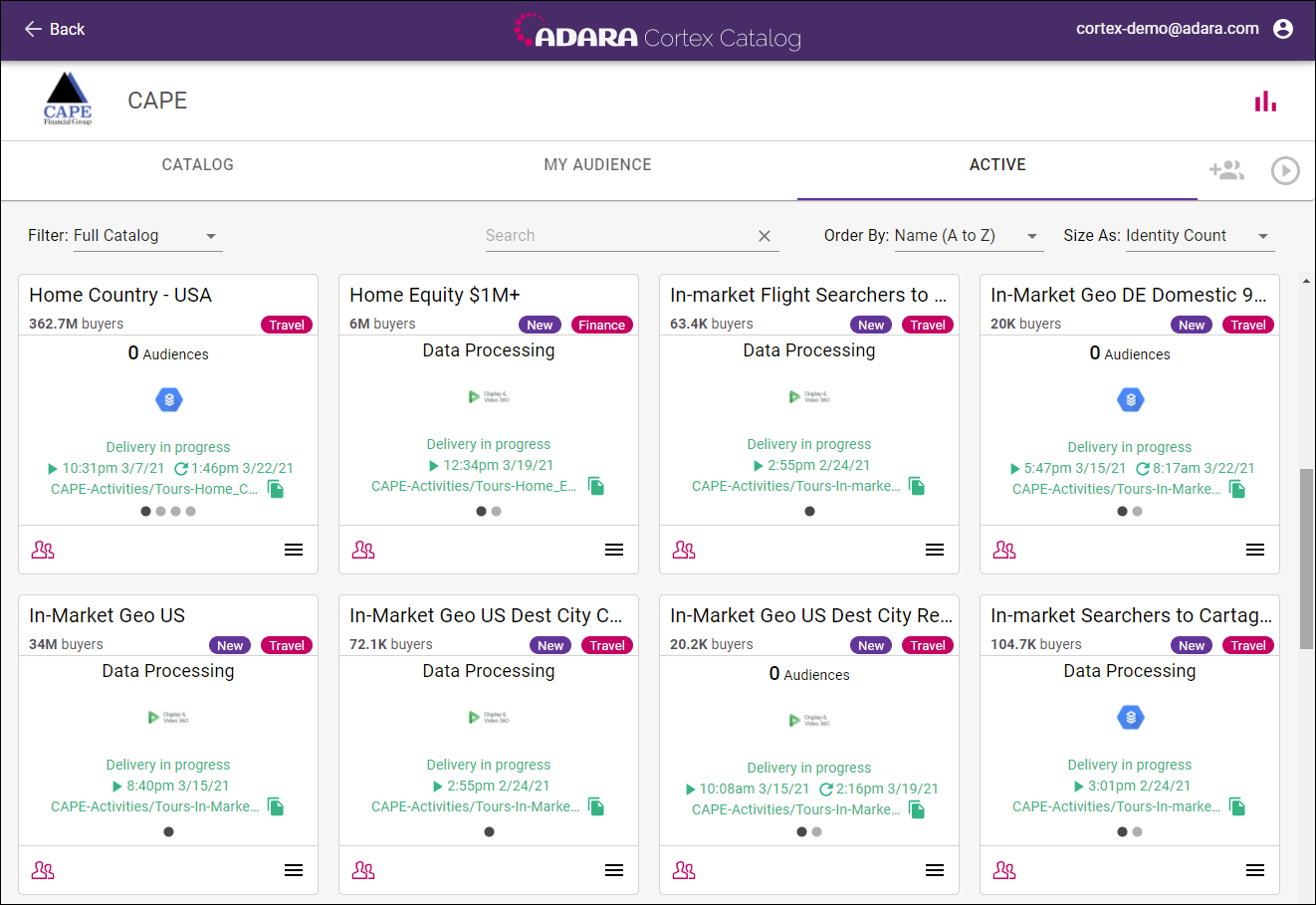
The Active tab displays the audiences that have been previously selected and are currently being pushed for that client. Cortex shows each active audience as a single audience card. For more information on the cards themselves, see 5.3. Active Tab.