
Prerequisite Whitelisting; Granting Ad Account Access and Assigning Role
Before integrating Facebook Business Manager with Cortex Catalog, assign ADARA as an Ad Account Partner for your Facebook ad account.
Use the following steps to do so.
Go to https://business.facebook.com and log in to Facebook Business Manager with your Facebook ad account.
Once inside Facebook Business Manager,
- Select Settings from the top menu.
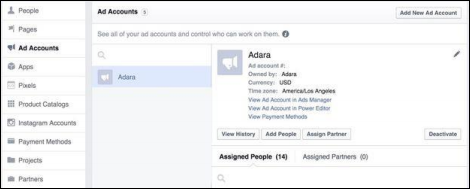
- Select Ad Accounts from the left menu.
- Select ADARA from the Ad Account names.
- Select Assign Partner to provide limited access to your Facebook ad account.
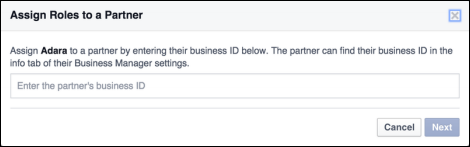
- Enter ADARA's Business ID: 884023938316790.
- Select Next.
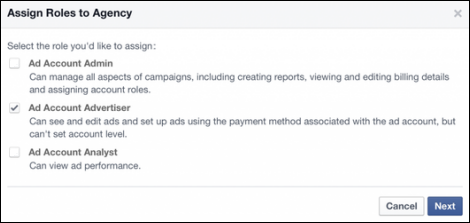
- Assign your partner role, in this case, it is Ad Account Advertiser.
- Select Next.
- Your partner will receive a notice saying they are now able to access your account.
Was this page helpful?