
Title
Message
Create new category
What is the title of your new category?
Edit page index title
What is the title of the page index?
Edit category
What is the new title of your category?
Edit link
What is the new title and URL of your link?
6.1. Review Audience Details & Filename
Copy Markdown
Open in ChatGPT
Open in Claude
The first step to Activate an Audience is to review the Audience Details and enter a File Name for this audience for this client.
Cortex Catalog suggests a default filename that follows the recommended <Catalog Account Name>-<Audience_Name>-ADARA> naming convention by concatenating Catalog Account Name, Audience_Name, and ADARA, with each separated by a dash. For the example show below, the filename is Cain-Low_Hotel_Consideration-ADARA.
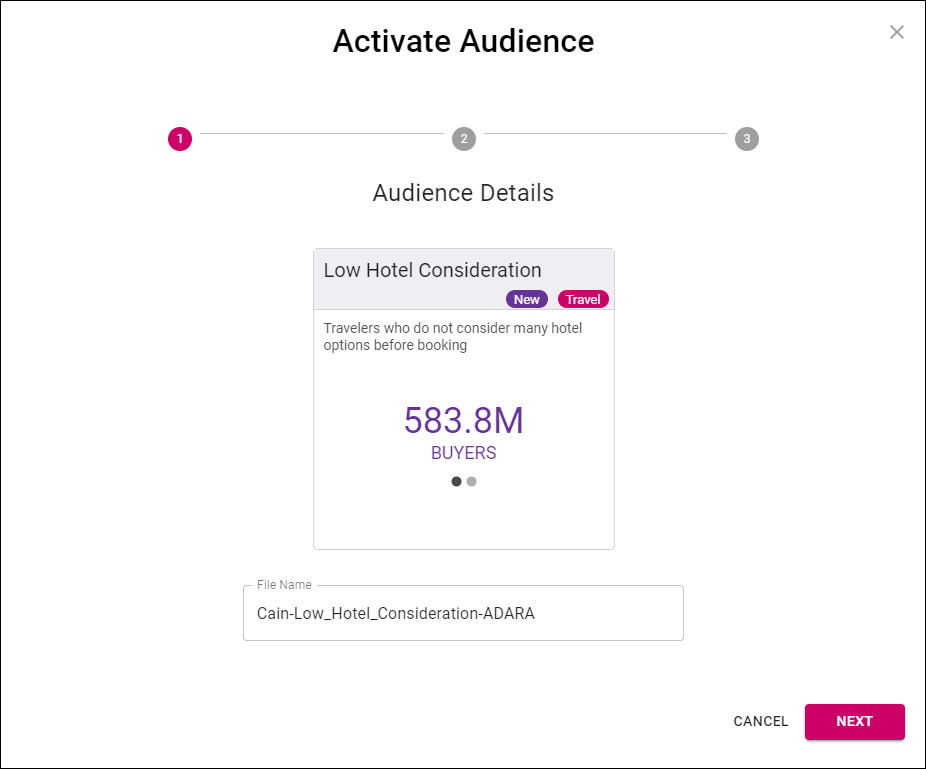
Cortex Catalog - Activate Audience modal view to Set Filename
Select Next to advance to the next step in the Activate Audience modal view, or Cancel to close the modal view.
Type to search, ESC to discard
Last updated on
Was this page helpful?
Next to read:
6.2. Select Channel(s)© ADARA, Inc. All rights reserved.
Discard Changes
Do you want to discard your current changes and overwrite with the template?
Archive Synced Block
Message
Create new Template
What is this template's title?
Delete Template
Message