
In all Cortex windows, the global menu appears at the top right.
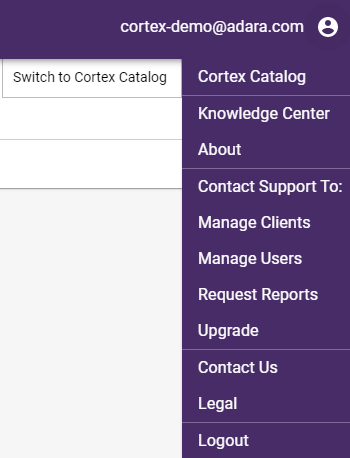
Cortex Search - upper right drop-down global menu
Global menu options include:
Cortex Catalog - switch from Cortex Search to Cortex Catalog without needing to login again
Knowledge Center - jump to ADARA's Cortex Search documentation
About - jump to ADARA's Cortex Search home page
Contact Support: by email, using the most specific of the following choices:
Manage Clients - for users with multiple client cards, select this option if you see any issues with your current setup or would like to make any updates
Manage Users - select this option if you have any issues with logins or would like to make any other updates
Request Reports - select this option if you have questions regarding the current reports within audiences or lift analyses or wish to request custom reporting
Upgrade - select this option if you have any requests or questions regarding your subscription quota
Contact Us - you can always contact ADARA Customer Service directly at support@adara.com
Legal for more about our privacy and data policies, as well as GDPR and CCPA: https://adara.com/privacy-promise/
Logout from Cortex
For more information on General Data Protection Regulation (GDPR) and the California Consumer Privacy Act (CCPA):