
ADARA's Data Science team uses AI to provide Bid Modifiers recommendations for audiences/signals within the campaigns activated for a client. For each audience/signal row, ADARA recommends positive or negative changes to bid modifiers to increase spend on more efficiently performing audiences and/or to reduce spend on under-performing audiences. Cortex Search lists these audience/signal rows in ranked order by sales and provides columns of data to assist with reallocating spending.
C4.1.1. Summary
Before listing individual recommendations for each audience/signal in the campaign based on the relative performance of those audiences, ADARA summarizes the suggested changes to Bid Modifiers.
ADARA's AI might suggest: actions such as these:
The highest-traffic audiences in this campaign/ad group require only minor changes to their Bid Modifiers,
Several of the highest-traffic audiences in this campaign/ad group could benefit from changes to their Bid Modifiers to reallocate more spending on more efficiently performing audiences and/or to reduce spending on under-performing audiences.
C4.1.2. Information
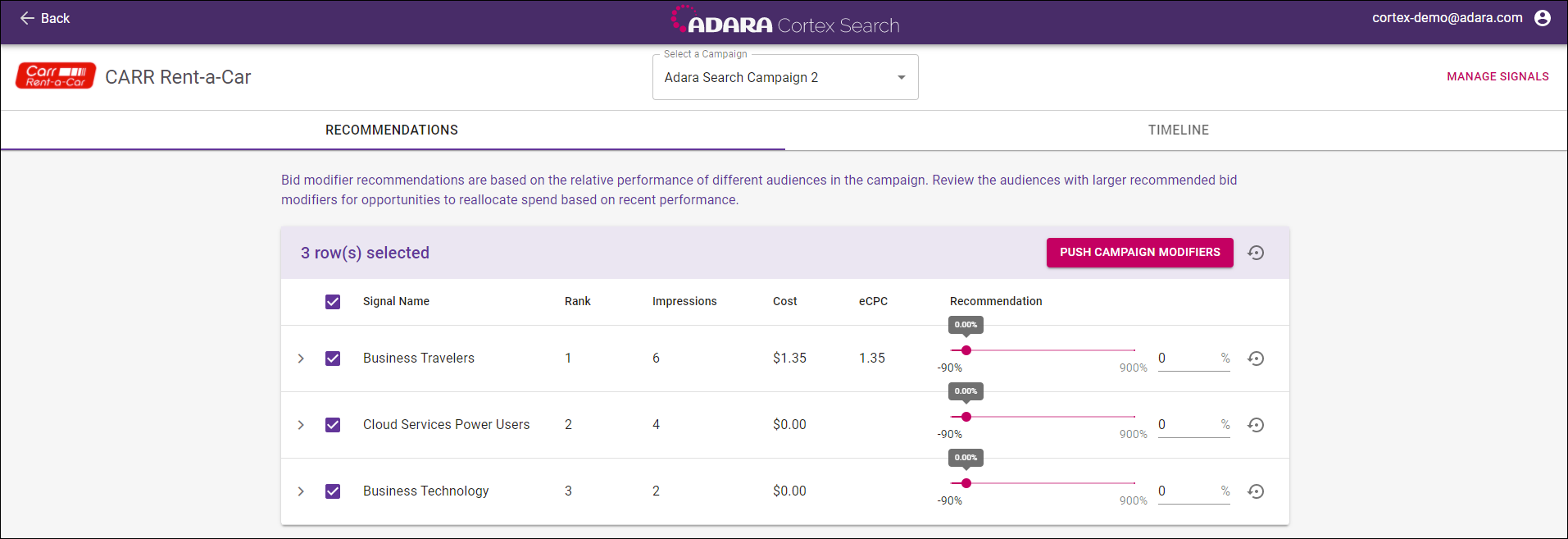
Cortex Search shows a row for each audience/signal in the campaign with columns of corresponding information:
Signal Name - name of the signal
Rank - rank of the signal
Impressions - impressions served
Cost - CPC (Cost Per Click) is the total cost of the campaign divided by the number of clicks it received
eCPC - eCPC (effective Cost Per Click) shows what the CPC would have been had the advertiser purchased clicks instead of impressions or conversions
Recommendation - value shown on the slider
C4.1.3. Interface
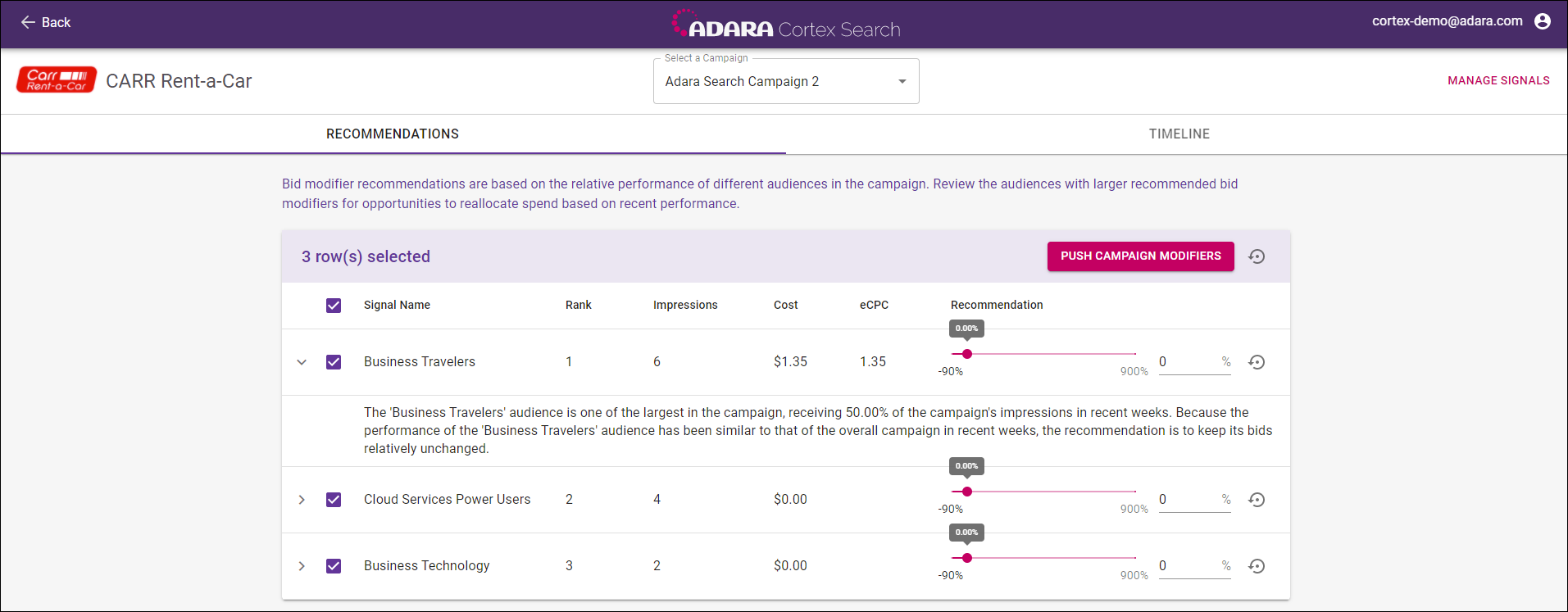
For each audience/signal row, you can adjust the individual campaign modifiers by moving the slider, entering a value directly in the numeric field, or using the up/down buttons to the right of the numeric field. Percentage values can range from -90% to +900%.
The check boxes for each row are checked by default. Uncheck the row check box to leave an individual audience/signal unchanged. Check or uncheck the box at the top of the screen to check all or none of the rows simultaneously.
The reset button on the right of each row resets the bid modifier value to ADARA's recommended value.
Select Push Campaign Modifiers to send the changed bid modifiers to Google.
Select Back in the upper left to return to the previous view or select a different campaign from the drop-down menu at any time.
Unsaved bid modifier weightings will be lost if you do not select Push Campaign Modifiers before selecting Back or selecting a different campaign from the top center drop-down menu.