
Common Tasks
Features Walkthrough
Title
Message
Create new category
What is the title of your new category?
Edit page index title
What is the title of the page index?
Edit category
What is the new title of your category?
Edit link
What is the new title and URL of your link?
A1. Google Ads Integration
Copy Markdown
Open in ChatGPT
Open in Claude
Cortex Search works directly with Google Ads through the Adwords API. For the smoothest onboarding process, ADARA suggests providing standard access to ADARA (google-dmp@adara.com) as quickly as possible after an agreement has been signed. This assures that you are able to use all Cortex Search features at the time of you first login.
Instructions:
- Log into Google ads
- Select the wrench icon for Tools and Settings
- Select Access and Security
- Select the blue + icon and enter
google-dmp@adara.comin the email box
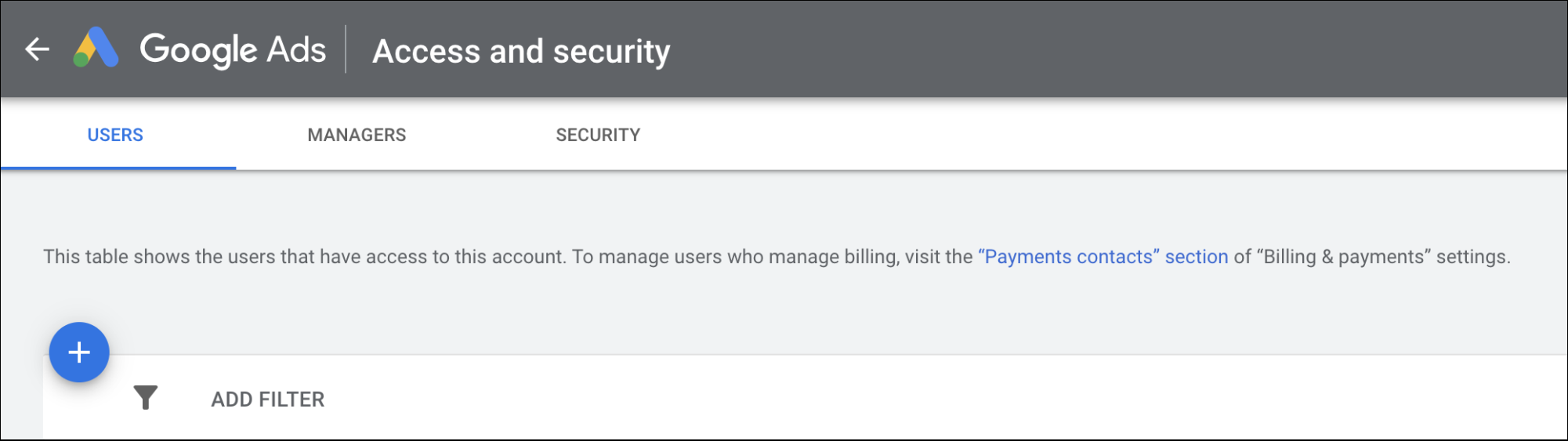
Google Ads - Access and security window
- Select Standard access and send an invite
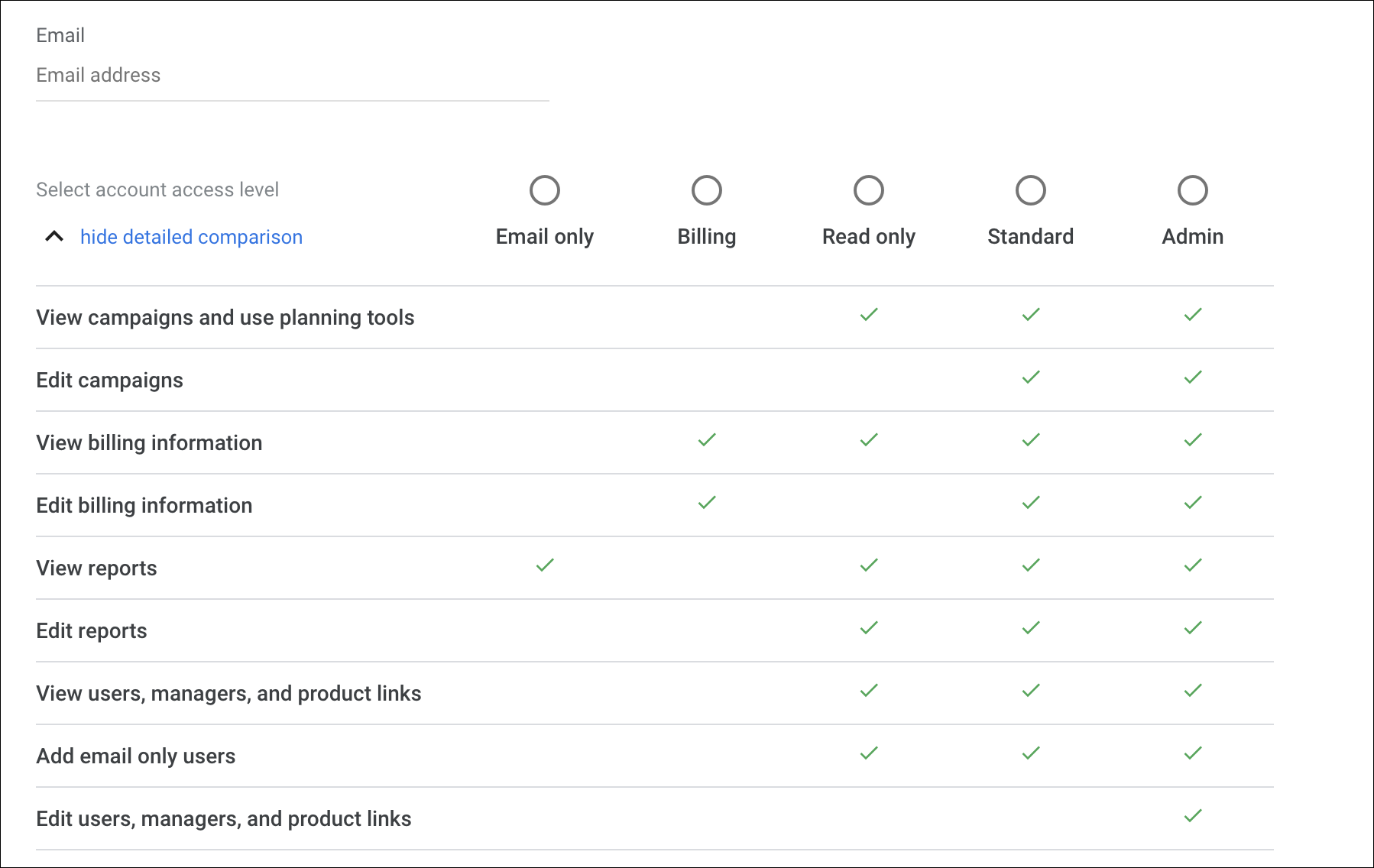
Google Ads - account access level window
Type to search, ESC to discard
Last updated on
Was this page helpful?
Next to read:
A2. Signals© ADARA, Inc. All rights reserved.
Discard Changes
Do you want to discard your current changes and overwrite with the template?
Archive Synced Block
Message
Create new Template
What is this template's title?
Delete Template
Message